QR code ordering and payment at restaurants became mainstream during the pandemic, and, unlike many temporary accommodations from that period, it stuck. Contactless dining through QR codes has become a genuine operational preference for many restaurants and customers, not just a safety measure. Dine-in guests use QR menus, order through their phones, and pay without waiting for a server to bring a check.
This guide covers how QR code POS payments actually work, what restaurants need to implement contactless ordering for restaurants effectively, and the operational and revenue impacts that make the technology worth taking seriously. If you’re new to POS technology, it’s worth understanding what a POS system is and why it’s essential for businesses before exploring QR-enabled features.
How QR Code Ordering and Payment Work
The Technical Flow
From Table to Kitchen to Payment
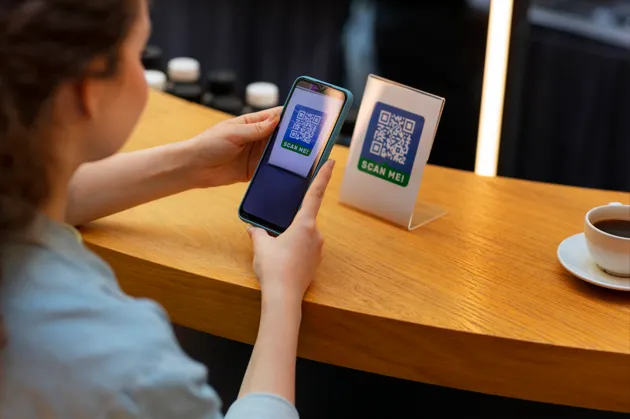
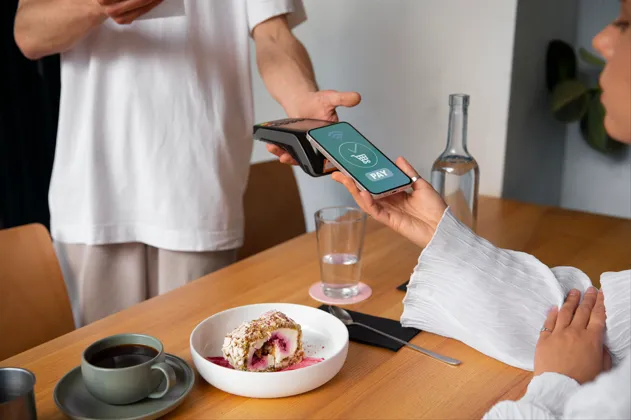
A QR code on the table connects directly to a digital menu hosted on the restaurant’s POS system or a connected ordering platform. The guest scans with their phone camera, browses the menu, places their order directly from their device, and the order routes automatically to the kitchen display or printer. Payment happens the same way: the guest reviews their bill on their phone and pays directly through the QR interface using a credit card, Apple Pay, Google Pay, or other stored payment method. No server touchpoints required for these steps.
Where the QR Code Lives in the POS Ecosystem
QR code contactless dining works best when the digital menu is directly integrated with the POS system rather than being a separate standalone solution. Similar to other POS system features that make running a store less stressful, seamless integration eliminates duplicate work and keeps operations running smoothly. Integration means orders go directly into the POS and kitchen, items are automatically deducted from inventory, and payment is recorded in the same reporting system as all other transactions. Disconnected solutions that use a separate app or platform and then require manual entry into the POS defeat much of the operational efficiency benefit.
What Restaurants Need to Implement Contactless Ordering
The Technical Requirements
| Component | What It Does | Key Consideration |
| QR code-enabled POS system | Hosts the digital menu and processes QR-initiated orders | Must be your primary POS, not a separate tool requiring manual sync |
| Digital menu management | Allows real-time menu and price updates that reflect in the QR menu immediately | Updates should propagate without requiring QR code replacement |
| Reliable in-venue WiFi | Supports guest devices accessing the digital menu simultaneously | The network must handle peak-hour simultaneous connections without slowing |
| Table-level QR codes | Identifies which table each order belongs to | Durable, easily replaceable QR markers embedded in the table design or cards |
| Payment integration | Processes card and digital wallet payments from the guest device | Should support all major payment methods including tap-to-pay wallets |
| Kitchen display integration | Routes QR orders to kitchen the same way server-entered orders route | QR orders should not create a separate queue or workflow in the kitchen |
The Operational Benefits of Contactless Dining
What Changes When QR Payments Are Working Well
Reduced Server Workload on Transactional Tasks
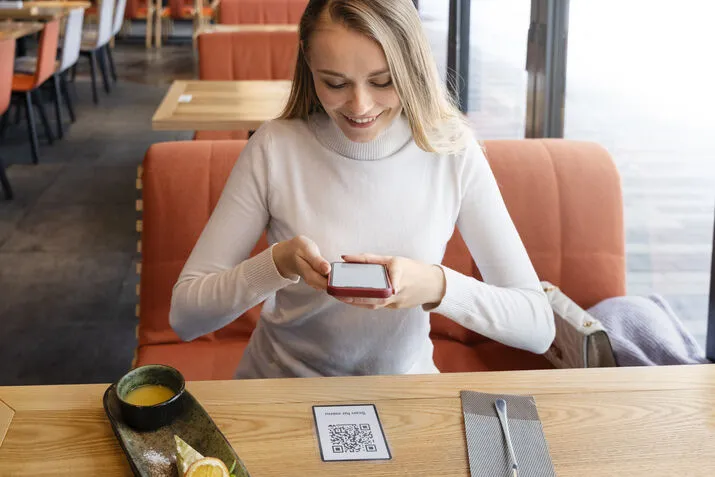
The tasks that QR code contactless dining removes from servers are the most time-consuming and least valuable: taking drink orders, reciting specials, delivering checks, and processing payment. When these steps are handled through the QR system, servers are free to focus on the parts of hospitality that technology cannot provide: reading the table, managing special requests, making recommendations, and building the kind of genuine guest connection that drives tips and return visits.
Faster Table Turn Times
One of the most consistently cited operational benefits of contactless ordering for restaurants is faster table turns. This is one of the key reasons restaurants need a modern POS system that streamlines both ordering and payment workflows. When guests do not wait for a server to bring the check, take a card, process the payment, and return the receipt, the time between the last bite and table clear reduces noticeably. For high-volume restaurants operating on tight turn-time economics, this improvement translates directly to revenue.
Order Accuracy
QR-based ordering eliminates the transcription errors that occur when servers write orders by hand or rely on memory. Guests enter their own orders, reducing the back-and-forth of corrections that slows service and frustrates both guests and kitchen staff.
Common Concerns About QR Code Dining
Addressing What Restaurants and Guests Often Worry About
Guest Adoption
The most common operational concern about QR code ordering is that some guests will not use it. This is a real consideration, particularly in restaurants with an older or less tech-comfortable demographic. The solution is not removing the option but making it complementary rather than mandatory. Offering QR-based ordering alongside traditional server ordering ensures that guests who prefer the technology use it and those who do not receive the same quality of service through a different path.
Loss of the Hospitality Experience
A legitimate concern is that QR-only ordering removes the human element from dining. The data suggests this concern is addressable rather than inherent: restaurants that use QR ordering for transactional steps while maintaining server presence for genuine hospitality interactions report better guest satisfaction than those that use it to reduce front-of-house staffing to the point where guests feel unattended.
Revenue Impact of QR Code POS Integration
What the Data Shows
Upsell Through Digital Menus
Digital menus with item photography, prominently featured specials, and prompted add-ons consistently produce higher average check sizes than paper menus or verbal ordering. The visual presentation of items, the ease of adding extras, and the absence of time pressure from a waiting server all contribute to guests ordering more than they might in a traditional service interaction.
Results Worth Tracking After Implementation
- Average check size before and after QR menu implementation
- Table turn time during peak service compared to pre-implementation
- Order accuracy rate (returns and remakes as a percentage of total orders)
- Guest satisfaction scores or review sentiment changes following rollout
- Server time allocated to hospitality interactions vs. transactional tasks
Final Thoughts
QR code POS payments have moved from a pandemic workaround to a genuine operational tool that restaurant owners choose because it produces measurable results: faster turns, higher check averages, fewer order errors, and servers with more time for the parts of hospitality that drive guest satisfaction. The technology works best when it is integrated into the POS rather than bolted on separately, and when it complements rather than replaces the human elements of dining.
Swyft POS provides integrated contactless ordering and QR payment solutions designed for how restaurants actually operate. If you want to understand what implementing contactless dining would look like for your specific operation, reach out to us.
FAQs
1. How does QR code ordering work in a restaurant?
Guests scan a table QR code with their phone camera, which opens a digital menu hosted by the restaurant’s POS system. They browse, order, and pay directly from their device. Orders route a
utomatically to the kitchen and payment processes without requiring a server to manage the transaction.
2. What does a restaurant need to implement contactless ordering?
A QR code-enabled POS system that hosts the digital menu, reliable in-venue WiFi that supports simultaneous guest connections, table-level QR codes, payment integration supporting card and digital wallets, and kitchen display integration that routes QR orders the same way as server-entered orders.
3. Do QR code payments reduce tips for servers?
Research on this is mixed. Digital payment interfaces prompt for tips in the same way as standard card terminals and often produce comparable or higher tip rates because the interface is deliberate. The more important factor is whether QR ordering frees servers for genuine hospitality work or is used to cut server staffing below service quality thresholds.
4. What if guests do not want to use QR ordering?
The best operational approach makes QR ordering complementary rather than mandatory. Guests who prefer the technology use it; those who prefer traditional service receive it. This approach maximizes the efficiency benefits while avoiding the guest experience problems of forcing technology on unwilling users.
5. Does contactless dining increase average check size?
Typically yes. Digital menus with photography, featured upsell items, and prompted add-ons consistently produce higher average checks than paper menus, because the visual presentation and ease of adding items outperforms verbal ordering for incremental sales.