The main types of POS systems for restaurants are terminal-based systems, tablet or mobile POS systems, cloud-based POS systems, self-service kiosks, and hybrid systems that combine two or more of these approaches. Each type offers different features, costs, and ideal use cases, and choosing correctly depends on your restaurant’s size, service style, and budget. This guide breaks down every category and walks through a practical restaurant POS system comparison to help you match features to your operation, whether you run a fine dining room, a food truck, or a multi-location chain.
| Quick answer: Restaurants generally choose from five types of POS systems for restaurants: terminal-based, tablet or mobile, cloud-based, self-service kiosk, and hybrid setups. Cloud-based systems now lead the market because they offer remote reporting, lower upfront costs, and easier updates, but the right choice depends on your restaurant’s format, order volume, and staffing model. |
Understanding the Types of POS Systems for Restaurants
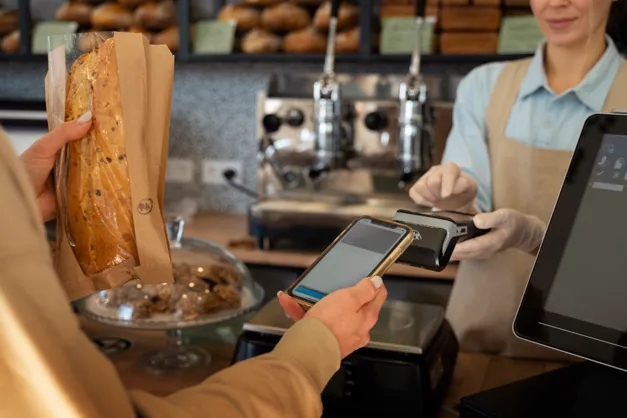
| Definition: A restaurant point of sale, or POS, system is the hardware and software platform a restaurant uses to take orders, process payments, manage menus, and track sales. The different types of POS systems for restaurants vary mainly in where data is stored, how staff interact with the hardware, and how much flexibility the setup offers for mobile ordering and reporting. |
Restaurant technology has shifted quickly over the past several years. Older setups relied on a single fixed terminal wired to an on-site server, while modern platforms run in the cloud and sync across every device in the building, from the host stand to the kitchen printer. Roughly 63 percent of restaurants now use cloud-based POS systems rather than legacy on-premise setups, according to recent restaurant technology research, a clear sign of where the industry is headed. For restaurants deciding between these two approaches, understanding the differences between cloud POS and on-premise systems can help clarify which setup better fits their needs. A solid restaurant POS system comparison should also weigh price, reliability during outages, staff training time, and how well a system connects with online ordering and loyalty tools.
The Main Types of POS Systems for Restaurants
Below is a breakdown of the core types of POS systems for restaurants, along with their features, benefits, and the restaurant formats they suit best.
- Terminal-based POS systems use a fixed countertop unit with a touchscreen, receipt printer, and cash drawer wired together at one station. Known for stability under heavy volume, they fit full-service restaurants and busy bars that need a dependable front counter, though mobility and upfront hardware cost are tradeoffs.
- Tablet and mobile POS systems run on iPads or Android tablets that servers carry table to table, firing orders directly to the kitchen. This type suits full-service dining rooms, food trucks, and pop-up concepts where flexibility matters most, and it usually costs less to start than a traditional terminal system. If you’re comparing this setup with fixed hardware, understanding the differences between mobile POS and traditional POS systems can help you determine which option better matches your restaurant’s service style.
- Cloud-based POS systems store sales, menu, and customer data on remote servers, so owners can check reports and adjust menus from any internet-connected device. These systems update automatically and support real-time multi-location reporting, which is why they top many restaurant POS system comparison lists for growing brands.
- Self-service kiosks let guests place and pay for their own orders on a freestanding touchscreen, reducing labor and wait times during rushes. Kiosks work well for quick-service concepts and counter-service spots with a simple menu, though they need a strong back-end system to route orders efficiently.
- Hybrid POS systems combine two or more of the above, such as a terminal at the bar paired with tablets in the dining room and a kiosk near the entrance, all synced through one cloud backend. Hybrid setups suit restaurants with varied service styles and offer flexibility as a business grows.
- Legacy on-premise POS systems store data locally on an in-house server rather than the cloud, offering full control but no dependency on internet for basic transactions. They can suit areas with unreliable internet, but costly IT support is why many owners migrate this type of pos system for restaurants toward cloud alternatives.
How to Choose the Right POS System
Once you understand the types of POS systems for restaurants available, match features to your actual operation. A fast-casual restaurant with three locations, for example, would likely choose a cloud-based POS system, since it lets the owner pull sales reports, compare sales by location, and monitor inventory across every site from one dashboard without needing an on-site IT visit.
- Map your service style first. Table service, counter service, food truck, and hybrid formats each favor different types of POS systems for restaurants, so start there before comparing brands or price points.
- Test the system during a real service rush, not just a quiet demo, so you can see how order entry, kitchen printing, and payment processing hold up when every server is slammed at once.
- Ask about offline mode. Even cloud-based systems should keep taking orders and payments if the internet briefly drops, so confirm this in writing before signing a contract with any vendor. It is also worth understanding how offline POS mode works and when it can save a business before making a final decision.
- Check integration options with your existing online ordering, delivery, loyalty, and accounting tools, since a system that does not connect cleanly creates extra manual work and duplicate data entry for your staff.
- Compare total cost, not just the sticker price. Factor in monthly software fees, payment processing rates, hardware replacement schedules, and support plans across your full restaurant POS system comparison. Reviewing the cost of POS systems can also help you estimate the longer-term expense rather than focusing only on the initial hardware price.
- Talk to references at similar restaurants and ask what they would change. A kiosk that works beautifully for a quick-service burger spot may not translate well to a sit-down bistro with a complex menu.
Restaurant POS System Comparison Table

The table below offers a quick restaurant POS system comparison across typical cost ranges and the restaurant formats each type fits best, so you can narrow your options before scheduling vendor demos. Use it as a starting point, then dig deeper into specific vendors, contract terms, and hardware bundles that match your service style and budget.
| POS Type | Typical Cost Range | Best Fit Restaurant Type |
|---|---|---|
| Terminal-based | Higher upfront hardware cost, moderate monthly fees | Full-service restaurants and busy bars |
| Tablet or mobile | Lower upfront cost, moderate monthly fees | Full-service dining rooms, food trucks, pop-ups |
| Cloud-based | Low to moderate upfront cost, predictable subscription fees | Multi-location groups and growing brands |
| Self-service kiosk | Moderate to high upfront hardware cost per unit | Quick-service and counter-service concepts |
| Hybrid | Variable, based on combined hardware needs | Restaurants with mixed service styles |
As this restaurant POS system comparison shows, there is no single best answer among the different types of POS systems for restaurants. The right pick depends on how guests order, how many locations you run, how much flexibility your team needs day to day, and how much hands-on support you want from your provider once the hardware is installed and staff are trained. Restaurants that are still weighing their options can also review what to look for in a restaurant POS system before comparing specific providers.
| Ready to compare the types of POS systems for restaurants side by side for your own business, without guessing which features actually matter? Contact Swyft POS to discuss your needs and find a setup that fits your service style, budget, and growth plans. |
FAQs
What are the main types of POS systems for restaurants?
The main types of POS systems for restaurants are terminal-based, tablet or mobile, cloud-based, self-service kiosk, and hybrid systems. Each type differs in hardware setup, mobility, and where data is stored, and the right choice depends on your service style, order volume, and how many locations you manage.
Which type of POS system is best for a small restaurant?
Small, single-location restaurants often do well with a tablet or cloud-based POS system, since these options usually have lower upfront costs, simpler setup, and flexible monthly pricing. A full restaurant POS system comparison still helps confirm the choice fits your specific menu size and service style.
Is cloud-based POS better than a traditional terminal system?
Cloud-based POS systems generally offer easier updates, remote reporting, and lower maintenance than traditional terminal systems, which makes them popular for growing and multi-location restaurants. Traditional terminals can still suit single-location, high-volume restaurants that prioritize maximum reliability over remote access features.
How much do restaurant POS systems typically cost?
Costs vary widely across the types of POS systems for restaurants, from a few hundred dollars for basic tablet setups to several thousand for multi-terminal installations. Most providers also charge monthly software fees and payment processing rates, so total cost depends heavily on chosen features and hardware.
Can a restaurant use more than one type of POS system?
Yes, many restaurants use hybrid setups that combine two or more types, such as terminals at the bar and tablets in the dining room, all connected through one cloud-based backend. This approach gives operators flexibility to match hardware to each service area’s specific needs.



