Quick Answer Box
| For service businesses, the best payment setup is usually the one that lets customers pay at the moment the work is completed, without forcing staff or customers through unnecessary steps. That can mean a handheld card reader, tap-to-pay smartphone, payment link, QR code, digital invoice, or a connected POS system.The right choice depends on where you work, how customers prefer to pay, transaction volume, connectivity, processing costs, security requirements, and whether payments need to connect with scheduling, invoicing, accounting, or customer records. |
What Mobile Payment Acceptance Means for Service Businesses

A plumber finishes an emergency repair at a customer’s home. A salon professional completes an appointment. A landscaping crew wraps up a job. A consultant meets a client outside the office.
In each case, the customer is ready to pay, but the business is not necessarily standing behind a traditional checkout counter.
That is where mobile payments become useful.
Instead of making customers wait for an invoice, call later with card information, or travel somewhere else to complete the transaction, businesses can bring payment acceptance closer to the point of service.
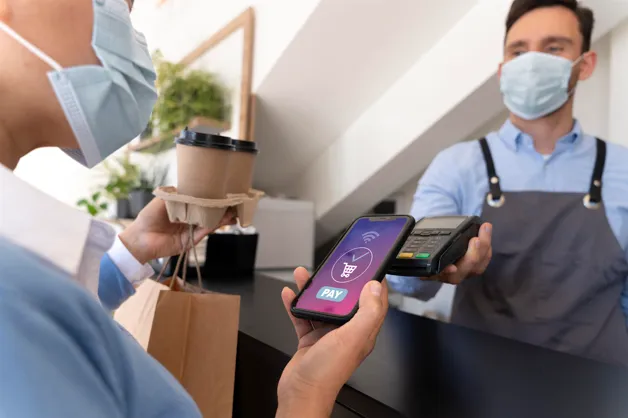
The technology can take several forms. Some businesses use compact readers connected to smartphones or tablets. Others use dedicated handheld terminals. Newer solutions can even allow compatible smartphones to accept contactless cards and digital wallets through NFC technology. PCI Security Standards Council standards specifically address payment acceptance on commercial off-the-shelf devices such as smartphones and tablets.
The important point is not the device itself. It is removing unnecessary distance between completing the work and getting paid.
Why Payment Flexibility Matters
Service businesses have a different checkout environment from traditional retail.
A retailer can design a permanent checkout station around a fixed counter. A service provider may need to collect money in a driveway at 4 p.m., inside a customer’s office at noon, or after finishing an appointment in a treatment room.
That makes payment flexibility an operational issue, not simply a technology upgrade.
A convenient checkout can help businesses collect payment while the customer is present and the service is fresh in their mind. It can also reduce the administrative work involved in sending invoices, chasing balances, manually recording transactions, and reconciling disconnected systems.
From the customer’s perspective, familiar payment methods matter too. Contactless transactions can involve tapping a compatible card, phone, watch, or other payment-enabled device at a supported terminal.
For businesses reviewing service business payments, the question should therefore be broader than, “Can this system accept cards?”
A better question is:
Can customers pay conveniently wherever the service actually happens?
Common Ways to Accept Payments on the Go
There is no universal setup for every service provider. A solo contractor processing a handful of transactions each day has very different requirements from a multi-location salon or a field-service company with 30 technicians.
Common options include:
- Handheld payment terminals: Dedicated portable devices that can accept supported card and contactless transactions while employees move between customers.
- Phone-based tap-to-pay: Compatible phones can become payment acceptance devices through supported solutions, reducing the need for a separate reader in some situations.
- Payment links, QR codes, and digital invoices: Customers receive a digital route to checkout and complete payment on their own device.
Phone-based acceptance is particularly interesting for businesses that want less hardware. For example, Tap to Phone solutions can enable compatible smartphones to accept supported contactless cards and payment-enabled devices.
The best option depends heavily on how and where your team works.
Comparing Mobile Payment Options
Before buying hardware, compare the actual payment experience and determine whether mobile POS vs traditional POS better fits the way your team works.
| Payment option | Best suited for | Main advantage | Consider carefully |
| Handheld terminal | Salons, restaurants, field teams, mobile services | Dedicated payment experience | Hardware cost, battery life, connectivity |
| Smartphone tap-to-pay | Solo operators, mobile professionals, smaller teams | Less additional hardware | Device and provider compatibility |
| Mobile card reader | Contractors, pop-ups, appointment businesses | Portable and relatively simple | Requires compatible phone/tablet in many setups |
| Payment link | Consultants, remote services, deposits | Customer can pay remotely | Payment may not happen immediately |
| QR payment | Hospitality and customer-led checkout | Customer uses own device | Requires clear instructions and connectivity |
| Digital invoice | Professional and recurring services | Useful for documented billing | Payment can occur later than service completion |
The table highlights an important distinction: the easiest system to carry is not automatically the easiest system to operate.
A business should consider what happens before and after the card is tapped. Does the transaction automatically attach to the correct customer? Can staff add tips? Can customers receive receipts? Can the business issue refunds easily? These are important POS system features to consider when choosing a system. Does the transaction flow into accounting or reporting?
Those workflow details often determine whether a payment system genuinely saves time.
Choosing Between a Mobile Reader and Full POS

A simple reader may be enough when a business only needs to accept occasional card transactions, especially when comparing options for small business POS payments.
A complete POS becomes more valuable when payments are connected to a larger operational workflow, including integrating POS with accounting to keep financial records organized.
| Business requirement | Simple mobile reader | Full mobile POS |
| Accept basic card transactions | Strong fit | Strong fit |
| Customer and transaction records | Limited to moderate | Usually stronger |
| Inventory management | Usually limited | Often available |
| Employee permissions | Basic or limited | More comprehensive |
| Detailed reporting | Basic | More advanced |
| Multi-location operations | Less suitable | Better suited |
| Integrated operational tools | Limited | Often broader |
Consider a mobile dog groomer. If the owner handles five appointments per day, accepts payment after each visit, and manages scheduling elsewhere, a simple portable setup may be perfectly adequate.
Now consider a salon with twelve stylists, retail products, appointments, commissions, tips, gift cards, and multiple locations. Payment acceptance is only one piece of the operation. A connected POS may make considerably more sense.
This is why buying based purely on transaction fees or hardware price can be misleading.
What Different Service Businesses Actually Need
Home and Field Services
Plumbers, electricians, HVAC technicians, cleaners, landscapers, and repair teams often need payment acceptance at customer locations.
For these businesses, portability and connectivity deserve serious attention.
Imagine a technician completes a $600 repair. If the customer can review the total and pay immediately, the transaction can be closed before the technician leaves. If payment requires an invoice to be emailed later, the business has introduced another administrative step and potentially delayed collection.
Salons, Spas, and Personal Care
These businesses often need more than basic card acceptance. Tips, appointment records, employee access, customer profiles, gift cards, and repeat visits can all affect the ideal setup.
A handheld terminal can also allow checkout to happen closer to the customer instead of creating a line at reception.
Professional Services
Consultants, photographers, tutors, accountants, designers, and similar professionals may not need dedicated hardware at all.
Payment links and digital invoices can make more sense when work is performed remotely or when customers pay deposits before appointments.
Events and Mobile Vendors
Event-based businesses face another challenge: POS payments without internet, particularly when transactions need to continue in areas with unreliable connectivity.
A payment device is only useful if it performs reliably in the places where you sell. Before committing to a system, investigate Wi-Fi requirements, cellular options, offline capabilities, battery performance, and what happens to transactions when connectivity becomes unstable.
Security and Payment Data
Convenience should never come at the expense of payment security.
PCI DSS establishes baseline technical and operational requirements intended to protect payment account data. Businesses that store, process, or transmit cardholder data can fall within its scope. Payment terminals themselves can also be part of the cardholder data environment.
That does not mean every small-business owner needs to become a payment-security specialist. It does mean businesses should understand who handles sensitive data and choose reputable providers.
The PCI Security Standards Council recommends practices such as using approved PIN-entry devices, validated payment software where applicable, protecting wireless networks, changing default passwords, inspecting devices for tampering, and training employees on payment security.
Questions Worth Asking a Provider
Before signing a contract, ask who is responsible for PCI compliance, how cardholder information is protected, whether payment data is stored on your devices, what happens if a terminal is lost, how software and security updates are handled, and what fraud-management features are included.
Also ask what security standard applies to the specific acceptance method you plan to use. The PCI SSC maintains distinct standards and programs for different payment technologies.
Understanding the True Cost
The advertised transaction rate is only part of the financial picture.
Suppose Provider A offers cheaper hardware but charges more for processing. Provider B has a higher upfront cost but includes features that replace separate invoicing, reporting, or customer-management tools.
Which is cheaper?
You cannot know until you calculate your expected transaction mix and operating costs.
Look beyond the headline rate and consider processing fees, hardware purchases or leases, monthly software subscriptions, chargeback fees, optional modules, cellular connectivity, contract requirements, early termination terms, and costs associated with additional users or locations.
Also check whether different transaction types carry different rates. Card-present, manually keyed, and online transactions can be priced differently depending on the provider and agreement.
A system should be evaluated by POS system costs, not by whichever number looks smallest on the pricing page.
Free Mobile Payments Guide
Choosing payment technology becomes easier when you compare systems around your actual workflow instead of feature lists.
Download our Free Mobile Payments Guide for a practical checklist covering hardware, processing, security, connectivity, customer experience, and provider questions.
Get the Free Guide: Contact Us
A 3-step Decision Framework
Step 1: Map Where Payment Happens
Start with the customer journey.
Where does the customer normally decide to pay? At a reception desk? Inside their home? At a job site? Before an appointment? After receiving an invoice?
Then identify the friction in your current process.
A landscaping company may discover that its real problem is not payment acceptance but collecting balances after crews leave. A photographer may discover that deposits matter more than on-site checkout.
Step 2: Define Your Non-negotiables
Separate essential features from attractive extras.
Your non-negotiables might include contactless acceptance, tipping, digital receipts, cellular connectivity, invoicing, employee permissions, accounting integrations, or multi-location reporting.
This keeps flashy features from distracting you from the requirements that affect daily work.
Step 3: Compare Total Workflow Value
Finally, compare your shortlist using real scenarios.
Ask an employee to simulate a transaction. Process a refund. Send a receipt. Check a customer record. Review the day’s transactions. Test what happens when internet access disappears.
The winner should not simply process a payment.
It should fit naturally into the way your business operates.
What One Customer Said About Switching POS Systems
Technology changes can feel risky when a business is already busy.
A Trustpilot reviewer, Howard Winters, described that exact concern when discussing a switch to Toast. In the review shown, he wrote that he had been paying too much for a POS system that “did half” of what the new system offered. He also acknowledged that switching initially felt risky because the timing was not ideal, but concluded that he could not imagine going back and wished he had made the change sooner.
That review highlights something service businesses sometimes overlook: staying with an inefficient system has a cost too.
Changing payment technology can involve setup, training, hardware changes, and temporary disruption. But those costs should be weighed against the recurring friction of an existing system.
The lesson is not that one specific platform is automatically right for every business. It is that evaluating a payment system should include what your current setup is costing you in time, flexibility, and operational effort.
Where the Payment Experience Is Heading
The distinction between “phone” and “payment terminal” is becoming less rigid.
PCI’s Mobile Payments on COTS framework supports solutions that can accept payment data using commercial off-the-shelf devices, including smartphones. The framework is designed to support different acceptance channels and verification methods while establishing security requirements around those solutions.
For smaller service companies, this can create more flexibility around how employees collect payment in the field.
But newer does not automatically mean better.
A dedicated terminal may still be preferable when a business processes heavy transaction volume, needs specialized peripherals, operates in demanding physical environments, or wants employees using business-specific hardware rather than personal phones.
Technology should follow the workflow, not the other way around.
Related Reading
What is the Best Portable POS System for Small Business?
Best Restaurant POS Systems for Small Businesses in 2026
Final Thoughts
Payment technology works best when customers barely have to think about it.
For a service provider, that means making checkout available at the natural end of the customer experience rather than forcing people into a process designed around a fixed counter.
When comparing mobile payments, look beyond whether a device can accept a tap or card. Consider reliability, integrations, employee workflows, receipts, refunds, security, support, and the total cost of operating the system.
The same principle applies when reviewing service business payments overall: choose around the way your customers actually buy and the way your team actually works.
A good setup should make the final step of service feel simple.
Frequently Asked Questions
1. What are the best mobile payment options for a small service company?
The best option depends on where transactions happen and how complex the workflow is. A solo operator may only need smartphone-based acceptance or a compact reader, while a larger team may benefit from handheld POS devices connected to customer records, reporting, employee permissions, and other operational tools.
2. Are mobile payments secure for business use?
They can be, provided businesses use reputable solutions and follow applicable security requirements. PCI DSS establishes baseline requirements for protecting payment account data, while PCI also maintains standards specifically addressing payment acceptance on commercial off-the-shelf devices.
3. How should I compare service business payments providers?
Compare the entire workflow rather than transaction rates alone. Review hardware, software fees, processing costs, contract terms, connectivity, security responsibilities, integrations, reporting, refunds, support, and how easily employees can use the system during actual customer interactions.
4. Can I accept contactless payments directly on a smartphone?
Compatible smartphones can support contactless acceptance when used with an appropriate payment solution. PCI standards cover solutions that use NFC-capable commercial devices for payment acceptance, while providers such as Visa also support Tap to Phone ecosystems. Compatibility varies by device, provider, market, and payment method.
5. Do I need a full POS system for a service business?
Not necessarily. If you mainly need to collect straightforward payments, a reader, payment link, invoice solution, or phone-based option may be sufficient. A fuller POS becomes more useful when checkout needs to connect with customer management, inventory, employee access, reporting, multiple locations, or other business operations.



