Quick Answer:
| Effective sales tracking begins with the right technology. Modern Retail POS solutions help businesses monitor transactions, inventory, customer activity, and employee performance from one centralized platform. Combined with reliable sales tracking software, retailers gain clearer visibility into daily performance, helping them make better inventory, staffing, and purchasing decisions while improving overall operational efficiency. |
Why Sales Tracking Matters in Retail
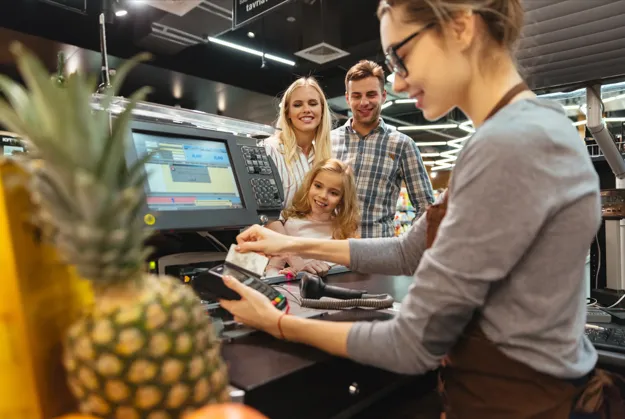
Every sale tells part of your business story.
Knowing what sells, when it sells, and how customers purchase helps retailers understand performance beyond daily revenue. Without reliable tracking, businesses often rely on assumptions when making purchasing, staffing, and promotional decisions.
A modern point-of-sale system records every completed transaction automatically, allowing owners and managers to review performance with greater confidence.
Instead of manually collecting sales information from different sources, retailers can access organized reports that highlight trends, identify popular products, and reveal opportunities for improvement.
As businesses grow, accurate reporting becomes increasingly valuable because decisions affect more employees, locations, and customers.
What are Retail POS Solutions?
Modern Retail POS solutions combine payment processing with business management tools that help retailers oversee multiple areas of daily operations from one system.
Beyond accepting payments, today’s platforms can manage inventory, monitor employee activity, organize customer information, generate sales reports, and connect physical stores with online sales channels.
Rather than treating the register as a simple payment device, retailers can use it as the operational center of the business.
Common Business Functions
A modern retail POS may support:
- Sales reporting
- Inventory management
- Employee permissions
- Customer profiles
- Returns processing
- Multi-location management
- Payment processing
- Cloud reporting
The exact features vary between providers, so businesses should evaluate which capabilities genuinely support their daily workflow.
How Sales Tracking Software Supports Better Decisions
Good reporting does more than summarize yesterday’s revenue.
Reliable sales tracking software transforms transaction data into useful business information that owners and managers can use throughout the day.
Instead of asking, “How much did we sell?”, retailers can answer questions like:
- Which products generate the highest revenue?
- What time of day attracts the most customers?
- Which employees process the most transactions?
- Which products need restocking?
- Which promotions actually increase sales?
Having immediate access to this information allows retailers to react more quickly instead of waiting until the end of the month.
Practical Example
Imagine a clothing boutique preparing for the weekend.
Reports consistently show increased sales between Friday afternoon and Saturday evening. Instead of scheduling employees evenly throughout the week, the owner assigns additional staff during those busy periods while reducing coverage during slower hours.
The result is better customer service without increasing overall labor costs.
Essential Features to Look for
Every retailer operates differently, but several capabilities consistently provide value across different store types.
| Feature | Business Benefit |
| Real-Time Reporting | Monitor sales as transactions occur |
| Inventory Tracking | Update stock automatically after every sale |
| Customer Management | Build purchase histories and loyalty data |
| Employee Reporting | Monitor productivity and permissions |
| Multi-Location Reporting | View all stores from one dashboard |
| Cloud Access | Review business performance remotely |
| Payment Flexibility | Support multiple payment methods |
| Returns Management | Process exchanges and refunds efficiently |
The goal is not simply collecting information. Reliable reporting should help managers make better operational decisions every day.
Comparing Manual Sales Tracking and POS Reporting
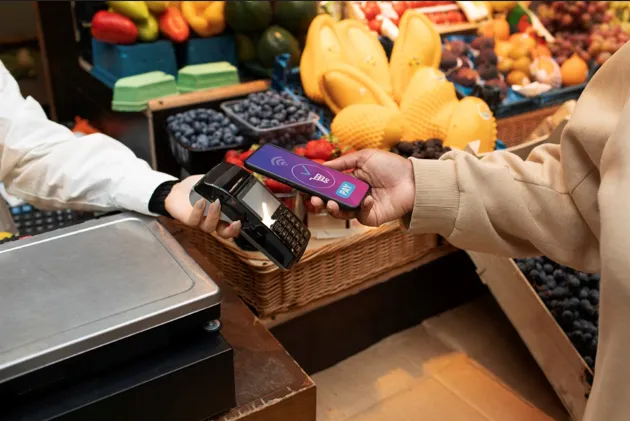
Many small businesses begin with spreadsheets or handwritten records before upgrading to a POS system.
While manual methods may work temporarily, they become increasingly difficult as transaction volume grows.
| Manual Tracking | POS-based Tracking |
| Requires manual data entry | Records sales automatically |
| Greater possibility of errors | Improved reporting accuracy |
| Information stored separately | Centralized business data |
| Time-consuming reporting | Real-time dashboards |
| Difficult multi-store management | Centralized reporting across locations |
| Limited business insights | Detailed performance analytics |
Automating sales tracking reduces repetitive administrative work while providing faster access to meaningful business information.
Why Real-time Reporting Makes a Difference
Retail businesses change throughout the day.
Popular products sell out unexpectedly. Customer traffic increases during promotions. Seasonal demand shifts inventory requirements.
Real-time reporting allows managers to monitor performance while business is happening rather than reviewing information after opportunities have already passed. Using POS analytics gives retailers instant visibility into sales trends, customer behavior, and inventory performance, allowing faster and more informed business decisions.
Consider a retailer running a weekend promotion.
By monitoring live sales, management notices one promotional product selling much faster than expected. Instead of discovering the shortage after closing, staff transfers additional stock from another location before shelves become empty.
Small operational adjustments like this can improve both customer satisfaction and inventory efficiency.
Get Started Free
Every retail business operates differently, which means reporting needs vary from one store to another.
Get Started Free and explore how smarter reporting, inventory management, and centralized business insights can help simplify your daily operations.
Turning Sales Data into Better Business Decisions
Collecting information is only valuable if it helps improve everyday operations.
Retailers who review reports consistently can make faster decisions about purchasing, staffing, pricing, and promotions instead of relying on assumptions.
For example, if one product consistently sells out by Friday afternoon, managers can adjust reorder quantities before inventory shortages affect customers. Likewise, if reports show certain products moving slowly, retailers can introduce promotions or reconsider future purchasing decisions.
The real advantage of reporting lies in acting on reliable information while opportunities still exist.
Sales Reports Every Retailer Should Review
Not every report deserves equal attention. Some provide greater value because they directly influence operational decisions.
| Report Type | Why It Matters |
| Daily Sales Summary | Monitor overall business performance |
| Best-Selling Products | Identify high-performing inventory |
| Slow-Moving Inventory | Reduce excess stock |
| Employee Performance | Review sales activity and productivity |
| Hourly Sales Trends | Schedule staff more efficiently |
| Category Performance | Compare product groups and purchasing trends |
| Multi-Location Reports | Evaluate performance across stores |
| Customer Purchase History | Support loyalty and marketing strategies |
Rather than reviewing reports only at month-end, many successful retailers check key performance indicators throughout the week.
Supporting Growth Across Multiple Locations
As businesses expand, reporting often becomes more complex.
Instead of collecting spreadsheets from each location, centralized dashboards allow owners to compare sales, inventory levels, employee activity, and customer trends from one place. Businesses using cloud POS systems can access this information remotely, making it easier to manage multiple stores from a single dashboard.
This becomes especially valuable for businesses managing multiple stores because decision-makers can quickly identify which locations are performing well and where additional attention may be needed.
A centralized reporting system also makes it easier to maintain consistent operations across every location.
Practical Example
Imagine a sporting goods retailer operating four stores.
Weekly reports reveal that one location consistently sells significantly more running shoes than the others, while another experiences stronger demand for outdoor equipment.
Instead of ordering identical inventory for every branch, management adjusts purchasing based on local demand.
The result is improved stock availability, reduced excess inventory, and more efficient purchasing decisions.
A Simple 3-step Decision Framework
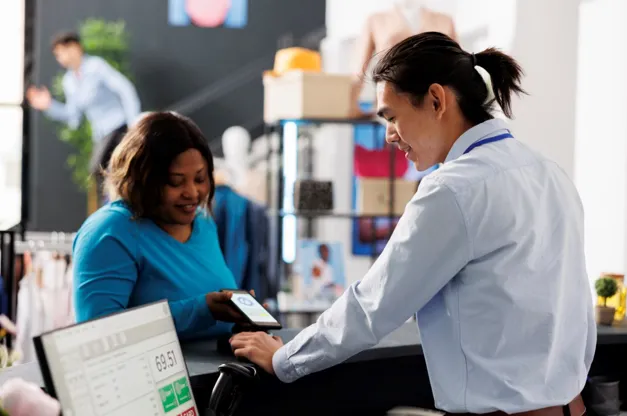
Choosing reporting software becomes easier when businesses evaluate solutions using a consistent process.
Step 1: Identify Your Reporting Needs
Begin by understanding how your business currently tracks sales.
Consider:
- What information do managers review every day?
- Which reports take too long to produce?
- Do multiple locations require centralized reporting?
- What inventory insights would improve purchasing decisions?
Clear objectives make software comparisons much more meaningful.
Step 2: Compare Reporting Features
Not every system provides the same reporting capabilities.
Compare providers based on:
- Dashboard usability
- Real-time reporting
- Inventory visibility
- Employee reporting
- Customer insights
- Multi-location support
- Integration capabilities
- Cloud accessibility
Looking beyond basic payment processing often reveals the systems that provide the greatest long-term business value. Understanding the things to look for when buying a POS system can also help retailers compare solutions more effectively before making a decision.
Step 3: Test Before You Commit
Before making a final decision, request a demonstration or trial.
Ask employees to perform common daily tasks, including:
- Processing transactions
- Viewing sales reports
- Updating inventory
- Searching customer purchases
- Reviewing employee performance
Testing with real workflows provides a much clearer understanding of how the software will perform after implementation.
Final Thoughts
Strong reporting helps retailers make smarter decisions every day.
The right Retail POS solutions simplify daily operations by combining payment processing, inventory management, customer information, and business reporting into one centralized platform. When paired with dependable sales tracking software, retailers gain better visibility into performance while reducing manual work and improving operational efficiency.
Instead of choosing a system based only on features, evaluate how well it supports your business today while providing flexibility for future growth.
Related Reading
| Restaurant Inventory Management: A Complete Guide for Owners How to Reduce Restaurant Food Waste Using a POS System |
Frequently Asked Questions
1. What is sales tracking software?
Sales tracking software helps businesses record transactions, monitor sales performance, generate reports, analyze product trends, and provide valuable insights for operational decision-making.
2. What are Retail POS solutions?
Retail POS solutions combine payment processing with tools for inventory management, employee tracking, customer management, reporting, and business operations within one centralized system.
3. Why is real-time sales reporting important?
Real-time reporting allows retailers to monitor performance throughout the day, identify inventory shortages, evaluate promotions, and respond to changing customer demand more quickly.
4. Can a POS system improve inventory management?
Yes. Modern POS systems automatically update inventory after every completed sale, helping businesses monitor stock levels, reduce manual counting, and make more informed purchasing decisions.
5. Should small retailers invest in advanced reporting tools?
Even smaller retailers can benefit from organized reporting. Accurate sales data helps owners understand customer buying patterns, improve inventory planning, monitor employee performance, and support long-term business growth.



