Quick Answer:
| A reliable desktop POS terminal gives storefronts more than a way to process payments. Modern systems combine transaction management, inventory tracking, customer insights, employee controls, and reporting tools into one centralized solution. The right Storefront POS setup helps businesses improve daily operations, reduce manual tasks, and create a better checkout experience for customers. |
Why Storefronts Need Reliable POS Technology
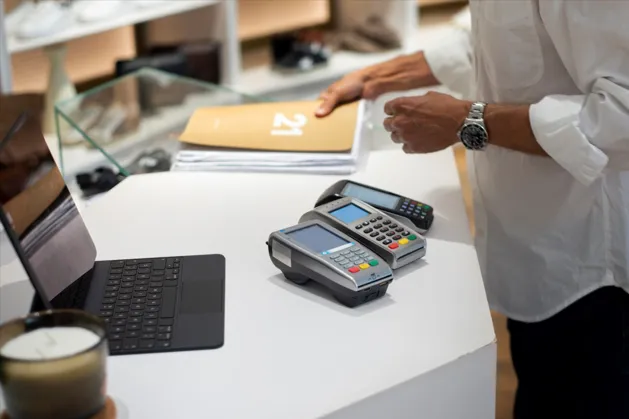
Every customer interaction at checkout creates valuable business information.
A storefront does not only need a system that accepts payments. Retailers need technology with the POS system features that make running a store less stressful while helping them understand sales patterns, manage inventory, support employees, and improve daily decisions.
Without a dependable system, businesses may spend extra time handling manual records, checking stock levels, or organizing transaction details. These challenges can become harder as sales volume increases.
A modern desktop POS terminal gives retailers a structured way to manage everyday operations while keeping important business information organized in one place.
Instead of relying on separate tools for payments, inventory, and reporting, businesses can use one connected system to support their entire checkout process.
What is a Desktop POS Terminal?
A desktop POS terminal is a fixed checkout system designed for storefront environments where businesses process transactions from a dedicated counter or sales area.
Unlike mobile POS devices, desktop terminals usually provide larger displays, stronger processing capabilities, and additional features that support high-volume retail operations.
These systems often include:
- Payment processing
- Inventory management
- Sales reporting
- Customer information tracking
- Employee management
- Receipt printing
- Product lookup tools
- Business analytics
For many retailers, the checkout area serves as the center of daily activity. A well-equipped POS terminal helps transform that space into a complete business management point.
How Desktop POS Systems Support Store Operations
A modern Storefront POS does more than complete purchases.
It connects different parts of the retail process, allowing owners and employees to manage sales activity with greater visibility.
Managing Daily Transactions
A desktop POS terminal allows businesses to process payments quickly while maintaining accurate transaction records, making it easier to understand POS transaction meaning, types, and how it works.
Retailers can track:
- Completed purchases
- Refunds and exchanges
- Payment methods
- Transaction history
- Sales totals
This reduces the need for manual recordkeeping and helps employees focus more on customer service.
Improving Inventory Visibility
Inventory mistakes can affect both customer satisfaction and business revenue.
With POS-based inventory tracking, retailers can monitor stock movement after each transaction using essential POS inventory management features. This helps businesses identify popular products, prepare for restocking, and avoid unexpected shortages.
Supporting Better Customer Experiences
Customers expect quick and convenient checkout experiences.
A capable Storefront POS system helps employees locate products, process payments efficiently, and manage returns without unnecessary delays, creating a smoother checkout experience through POS-based customer experience improvements.
Essential Features Every Storefront POS Should Have
Every business has different needs, but several features provide value across different storefront environments.
| Feature | Business Benefit |
| Real-Time Sales Reporting | Monitor transactions and revenue activity instantly |
| Inventory Management | Track stock levels after each purchase |
| Customer Profiles | Understand buying patterns and preferences |
| Employee Controls | Manage access and monitor activity |
| Multiple Payment Options | Support customer payment preferences |
| Product Management | Update pricing and product details easily |
| Cloud Reporting | Access business insights remotely |
| Receipt Options | Provide digital and printed receipts |
| Integration Support | Connect with other business tools |
The right combination of features depends on the size, industry, and workflow of each storefront.
A clothing retailer may prioritize inventory management, while a specialty shop may focus more on customer profiles and loyalty features.
Comparing Traditional Checkout and Desktop POS Systems
Many businesses begin with basic registers or manual tracking methods. While these options may work for smaller operations, they often create limitations as the business grows.
| Traditional Checkout | Desktop POS Terminal |
| Limited sales visibility | Detailed sales reports |
| Manual inventory updates | Automatic stock tracking |
| Separate business records | Centralized information |
| Basic payment processing | Complete store management |
| Limited customer insights | Customer purchase history |
| Time-consuming reporting | Faster business analysis |
A desktop POS terminal helps retailers move beyond simple transactions by providing information that supports smarter decisions.
Why Real-time Data Matters for Storefronts
Retail decisions become more effective when businesses have access to accurate information at the right time.
A desktop POS terminal collects valuable sales data throughout the day, allowing store owners and managers to understand customer activity, product performance, and overall business trends through POS analytics for sales optimization.
Instead of waiting until the end of the week or month to review reports, retailers can identify changes as they occur.
For example, a store notices that a particular product category is selling faster than expected during a seasonal promotion. With real-time reporting, managers can adjust inventory levels, update purchasing decisions, and prepare employees before demand increases further.
Small adjustments based on reliable data can help storefronts maintain better stock availability and create more efficient operations.
Key Reports Every Storefront Should Monitor
Not every report provides the same level of value. Businesses should focus on information that directly supports daily decisions.
| Report Type | Why It Matters |
| Daily Sales Summary | Review overall store performance |
| Product Performance | Identify popular and slow-moving items |
| Inventory Reports | Maintain better stock control |
| Employee Activity | Understand sales performance |
| Customer Purchase History | Support personalized experiences |
| Payment Reports | Track transaction methods |
| Peak Sales Hours | Improve employee scheduling |
Reviewing these reports regularly allows businesses to recognize patterns and make adjustments before small issues become larger challenges.
Choosing the Right Desktop POS Terminal Features
Selecting a POS system is not only about choosing the most advanced option available. Storefronts should focus on features that align with their daily workflows and long-term goals.
1. Prioritize Easy Transaction Management
The checkout process directly affects customer satisfaction.
A reliable system should allow employees to complete purchases quickly, access product details easily, and handle returns or exchanges without unnecessary steps.
Features to consider include:
- Fast product search
- Multiple payment options
- Receipt flexibility
- Quick transaction processing
- Return management
A simple checkout experience helps employees work efficiently while creating a better experience for customers.
2. Look for Strong Inventory Tools
Inventory management plays an important role in storefront success.
A capable Storefront POS system should help businesses understand what products are available, what items need replenishing, and which products generate the most interest.
Important inventory features include:
- Automatic stock updates
- Low-stock notifications
- Product tracking
- Category organization
- Inventory reports
Accurate inventory information helps retailers make purchasing decisions with greater confidence.
3. Evaluate Reporting Capabilities
A POS system should provide more than transaction records.
Useful reporting tools help businesses understand revenue trends, customer activity, and employee performance.
Look for features such as:
- Custom sales reports
- Performance dashboards
- Product analysis
- Location comparisons
- Exportable data
Better reporting allows businesses to replace assumptions with informed decisions.
A Desktop POS Terminal Should Grow with Your Business
The needs of a storefront can change over time.
A system that works for a small retail shop today should also provide flexibility as sales volume increases, product catalogs expand, or additional locations open.
Businesses should consider whether their POS system can support:
- Growing inventory needs
- Additional employees
- New payment methods
- Multiple locations
- Advanced reporting requirements
Choosing scalable technology reduces the need for frequent system changes as the business develops.
Get Your Free Feature Checklist
Finding the right POS system becomes easier when businesses know which features matter most for their operations.
Get your Free Feature Checklist and review the essential capabilities every storefront should consider before choosing a desktop POS terminal.
A Simple 3-step Selection Framework
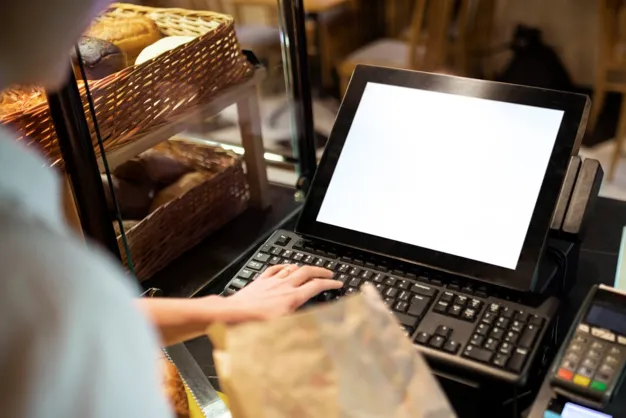
Choosing a POS solution becomes simpler when businesses follow a structured approach.
Step 1: Understand Your Store Requirements
Start by identifying your current challenges.
Ask questions like:
- What tasks take the most employee time?
- Which reports do managers need regularly?
- How do you currently track inventory?
- What customer service improvements would help your store?
Clear priorities make it easier to compare available options.
Step 2: Compare Essential Features
Not every POS terminal offers the same capabilities.
Evaluate systems based on:
- Payment processing options
- Inventory management
- Reporting tools
- Customer management
- Employee controls
- Integration options
- Ease of use
The best solution should support your daily operations without adding unnecessary complexity.
Step 3: Test Before Making a Decision
Before investing in a new system, review how it performs in real situations.
Test common tasks such as:
- Processing purchases
- Searching products
- Managing returns
- Checking reports
- Updating inventory
A hands-on evaluation helps businesses understand whether a system fits their workflow.
Final Thoughts
A reliable desktop POS terminal can become a valuable tool for any storefront by combining payment processing, inventory management, reporting, and customer insights in one platform.
The right Storefront POS solution helps businesses improve daily efficiency, understand customer behavior, and make better operational decisions.
Instead of choosing a system based only on basic checkout features, retailers should evaluate how well it supports their current needs and future growth.
Related Reading
Frequently Asked Questions
1. What is a desktop POS terminal?
A desktop POS terminal is a fixed checkout system that helps storefronts process payments, manage transactions, track inventory, and access sales reports through one centralized platform designed to improve daily operations and provide retailers with better control over business activities.
2. Why do storefronts need a POS system?
A Storefront POS system helps businesses organize sales, monitor inventory, manage customer information, and improve checkout experiences by connecting essential operations in one place while providing valuable insights that support smarter decisions and more efficient workflows for growing retail environments.
3. What features should a desktop POS terminal include?
A desktop POS terminal should include payment processing, inventory tracking, sales reporting, customer management, employee controls, and flexible tools that help storefronts handle daily tasks efficiently while maintaining accurate records and supporting better operational planning across different types of businesses.
4. Can a POS terminal improve inventory management?
Yes, a POS terminal can improve inventory management by updating stock records automatically, tracking product movement, identifying trends, and helping retailers make informed purchasing decisions based on accurate sales data while reducing manual work and improving overall inventory control processes.
5. How does a Storefront POS help businesses grow?
A Storefront POS system supports business growth by simplifying operations, improving customer service, providing useful reports, and helping retailers understand sales patterns better so they can make informed decisions and create efficient processes that support long-term success and sustainable expansion.



