Quick Answer:
| Too many customers do not always cause long checkout lines. Sometimes, the payment step itself creates the delay. Tap-to-Pay Technology can shorten that interaction by allowing shoppers to present a contactless card, phone, or supported digital wallet to a compatible payment device, rather than inserting a card and completing additional physical steps. If you’re exploring different payment acceptance methods, our guide on Virtual Terminal vs. Physical POS Terminal explains how contactless in-store payments compare with remote payment solutions. |
Why Checkout Speed Matters
Checkout is one of the last experiences a customer has with a business. A smooth payment process can end that visit on a positive note, while a slow-moving line can create frustration even when everything before it went well.
The effect becomes more noticeable during lunch rushes, weekend shopping, seasonal promotions, events, and other periods when several customers are ready to pay at once. A few unnecessary steps repeated across every transaction can add pressure to the queue.
That makes payment speed more than a technical concern. It is part of queue management, staff efficiency, and the overall customer experience.
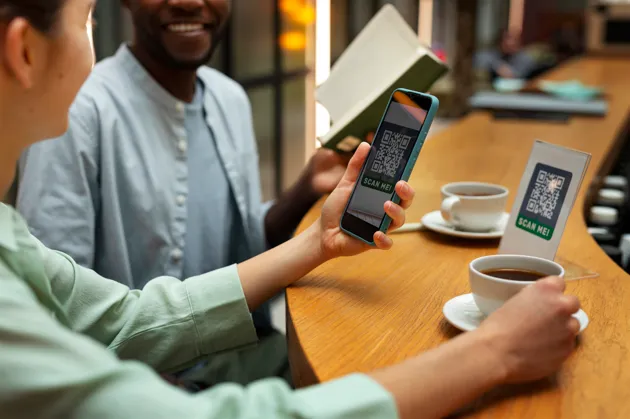
What is Tap-to-Pay Technology?
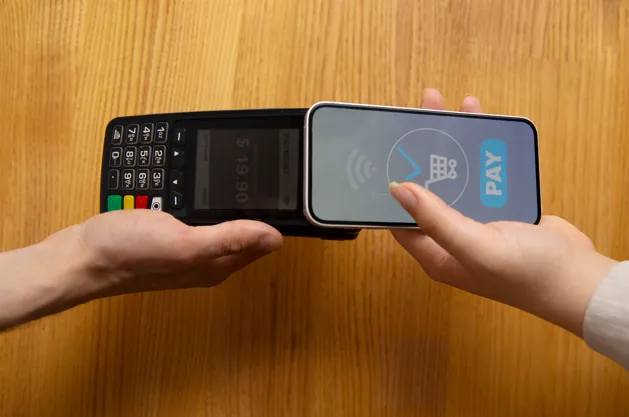
Tap-to-Pay Technology allows customers to make supported contactless payments by holding a card, smartphone, smartwatch, or digital wallet near a compatible payment device.
The exchange typically relies on near-field communication, or NFC, which enables compatible devices to communicate at close range. With supported solutions, the customer presents the payment method near the contactless reader and follows any verification prompts required for the transaction.
Some newer solutions can even turn compatible smartphones into payment acceptance devices. For example, Apple’s Tap to Pay on iPhone allows businesses using supported payment apps to accept contactless cards and digital wallets directly on an iPhone without an additional payment terminal.
What Customers can Tap
Depending on the payment provider and setup, contactless transactions may support:
- Contactless credit and debit cards
- Smartphones with supported digital wallets
- Compatible smartwatches and other payment-enabled devices
Businesses should confirm supported cards, wallets, devices, and transaction requirements with their payment provider.
How Contactless Payments Work
A contactless transaction reduces the physical interaction between the customer and payment hardware.
The Basic Payment Flow
Step 1: Purchase is Entered
The cashier enters or confirms the transaction amount.
Step 2: Customer Taps
The customer presents a supported card or device near the contactless payment area.
Step 3: Payment is Processed
The payment system communicates with the relevant payment infrastructure to process the transaction.
Step 4: Transaction Completes
Once approved, the sale can move to receipt delivery or the next customer.
The exact processing time depends on the payment provider, network connection, hardware, software, verification requirements, and other factors. Businesses should therefore avoid assuming every contactless transaction will complete within a specific number of seconds.
Where Checkout Delays Usually Happen
A slow line can have several causes. Staff may be searching for products, customers may be deciding how to pay, hardware may respond slowly, or the payment flow may require unnecessary steps.
Payment technology cannot eliminate every source of delay, but simplifying the payment stage can remove friction from a process repeated dozens or hundreds of times each day.
Consider a café serving a lunch rush. If customers can present a contactless card or phone without repeatedly inserting and removing cards, the interaction at the terminal becomes simpler. Across a busy period, a smoother payment flow can help staff keep the queue moving.
How Tap-to-Pay can Reduce Checkout Friction
The value of contactless checkout comes largely from reducing physical steps during payment.
Customers do not need to hand over a card in many setups. They can present their preferred supported payment method to the reader, wait for confirmation, and continue.
This can be particularly useful when staff need to process many relatively straightforward transactions in succession.
Where the Difference Comes from
| Checkout Factor | Traditional Card Interaction | Contactless Interaction |
| Card handling | May require insertion | Card or device presented near reader |
| Customer action | Insert and remove card | Tap or hold near payment area |
| Digital wallets | Depends on terminal | Commonly supported on compatible setups |
| Physical contact | More interaction with terminal possible | Minimal terminal interaction |
| Mobile acceptance | Requires compatible setup | Some solutions support phone-based acceptance |
The exact experience varies by terminal, provider, card, wallet, and transaction requirements.
Tap-to-Pay v. Traditional Card Payments
Traditional chip payments remain important and widely used. Contactless payments are not necessarily a replacement for every other payment method.
Instead, businesses can view contactless acceptance as another way to give customers a quicker and more convenient choice when their preferred payment method supports it.
This matters because checkout speed depends partly on how easily a customer can use the payment method already in their hand or on their phone.
A flexible setup can therefore support contactless payments while retaining chip, swipe where applicable, and other payment methods required by the business.
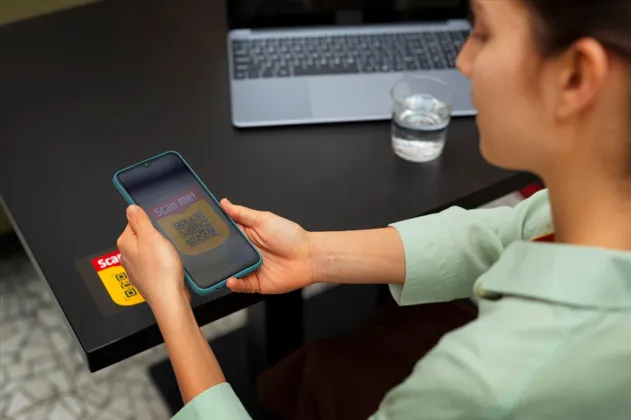
Where Faster Contactless Checkout Matters Most
Not every business experiences queues in the same way. A furniture store processing a smaller number of high-value transactions has different checkout pressures from a coffee shop serving dozens of customers within an hour.
Contactless payment can be particularly useful in environments with high transaction frequency or mobile selling.
| Business Type | Why Contactless Checkout can Help |
| Coffee Shops | Supports rapid transactions during morning rushes |
| Quick-Service Restaurants | Helps keep high-volume counters moving |
| Convenience Stores | Suits frequent, straightforward purchases |
| Retail Stores | Provides another quick payment option |
| Food Trucks | Supports compact, mobile payment setups |
| Pop-Up Shops | Can reduce dependence on fixed checkout stations |
| Events | Helps staff accept payments away from permanent counters |
Phone-based payment acceptance can also give businesses additional flexibility. Apple specifically positions its Tap to Pay capability for scenarios such as pop-ups and reducing queues.
What Businesses Need to Accept Tap-to-Pay
The requirements depend on how the business plans to accept payments.
A traditional setup may use a POS terminal or card reader with contactless capabilities. A mobile setup may use compatible hardware or, where supported, a smartphone-based acceptance solution.
Before choosing a system, confirm:
- Which contactless cards and digital wallets are supported
- Whether existing POS software integrates with the payment solution
- What hardware or compatible device is required
- How payment processing fees are structured
- What happens if connectivity is interrupted
- How refunds and other post-transaction tasks are handled
- What security and compliance responsibilities apply
For phone-based acceptance specifically, support depends on the device, payment application, payment service provider, and region. If you’re investing in new hardware, it’s also worth reviewing Things to Look for When Buying a POS System to ensure your solution supports both current and future payment needs.
Customer Experience Beyond Speed
Speed is important, but a good contactless checkout should also feel straightforward.
Customers should be able to understand where to tap, see the amount they are paying, receive clear confirmation, and use another payment method when necessary.
A well-designed contactless checkout can also give employees more flexibility. In some environments, staff can take payment closer to the customer instead of directing every transaction toward a single fixed counter.
That opens possibilities for line busting, mobile checkout, curbside transactions, events, and other selling environments where a traditional counter may be inconvenient.
Security and Contactless Payments
Faster should not mean careless.
The security model varies by payment solution, but businesses should evaluate encryption, authentication, payment-provider responsibilities, device controls, employee permissions, and applicable payment-security requirements before deployment.
For example, Apple states that Tap to Pay on iPhone uses built-in security and privacy features, does not store card numbers on Apple servers, and protects payment card data through the Secure Element.
Businesses should still review the security documentation supplied by their own POS provider and payment processor rather than assuming every contactless solution operates identically.
Proof From a Payment System Customer
Faster Payments Changed the Queue
Real customer experiences can show why payment speed matters during high-traffic periods.
“Our old system took almost two minutes to process each transaction during peak hours, which created a line that put customers off. The new Zettle payment system they supplied processes payments in seconds, and our queue management has completely changed during our busiest periods. Thanks, Swyft POS!”
Janet Hamrick
https://www.trustpilot.com/reviews/6a5e1ff1b3dec318b5568074
This customer’s experience shows the operational impact payment performance can have during busy periods. When transactions move more efficiently, employees can serve waiting customers sooner and queues can become easier to manage.
Schedule a Tap-to-Pay Demo
The best way to judge a payment system is to see how it performs within the workflows your staff handle every day.
Schedule a Tap-to-Pay Demo to explore how contactless checkout could fit your payment setup, transaction volume, customer preferences, and busiest trading periods.
Ready to see Tap-to-Pay in action? Contact our team to schedule a personalized demo and learn how the right payment solution can help you speed up checkout, reduce queues, and create a smoother payment experience for your customers.
How to Evaluate Tap-to-Pay for Your Business
Rather than choosing a system because contactless payment appears on the feature list, test how well it works in practice.
3 Major Steps:
Step 1: Measure
Observe your current checkout during normal and peak periods. Identify where delays occur and whether payment processing contributes to them.
Step 2: Compare
Compare compatible systems based on payment methods, hardware requirements, processing, POS integration, security, support, and total cost. If mobility is important for your business, our guide to the Best Portable POS System for Small Business can help you compare suitable options.
Step 3: Test
Run realistic transactions with employees who will actually use the system. Test contactless cards, supported digital wallets, refunds, busy-period workflows, and fallback payment options.
A successful contactless checkout should not simply look faster in a demonstration. It should fit naturally into how the business serves customers.
Final Thoughts
A faster checkout is built from many small improvements, and payment is one of them. Contactless checkout can reduce physical payment steps, support familiar cards and digital wallets, and give some businesses more flexibility in where transactions happen.
The right solution should combine speed with reliability, security, payment flexibility, and straightforward staff use. Test it during realistic conditions before deciding whether it belongs at your checkout.
Related Reading:
| Restaurant Inventory Management: A Complete Guide for Owners What is the Best Portable POS System for Small Business? |
FAQs
1. Does tap-to-pay actually make checkout faster?
It can simplify the customer’s payment interaction by allowing a supported card or device to be presented near the reader rather than inserted. Actual transaction speed still depends on the POS system, payment processor, connectivity, verification requirements, and hardware.
2. What is Tap-to-Pay Technology?
Tap-to-Pay Technology enables supported contactless cards and devices to communicate with compatible payment acceptance equipment at close range. Depending on the solution, customers may pay using contactless cards, smartphones, smartwatches, or supported digital wallets.
3. Is contactless checkout secure?
Modern contactless payment systems use security controls designed to protect payment information, but implementation differs among providers. Businesses should review encryption, tokenization where applicable, authentication, PCI responsibilities, device security, and their processor’s security documentation.
4. Can a smartphone accept tap-to-pay payments?
Some compatible smartphones can accept contactless payments through supported applications and payment providers without a separate reader. Availability and requirements vary by device, operating system, provider, and region. Apple, for example, supports this capability through Tap to Pay on iPhone.
5. Which businesses benefit most from contactless payments?
Businesses processing frequent transactions, such as cafés, quick-service restaurants, convenience stores, retailers, food trucks, pop-ups, and events, may benefit particularly from a streamlined payment experience. The value depends on transaction volume, existing checkout performance, and customer payment preferences.



