Quick Answer:
| A virtual terminal processes payments by manually entering customer card details through a secure online portal, making it ideal for remote or phone transactions. A physical POS terminal accepts in-person payments using card readers, contactless technology, or mobile wallets. Virtual terminals prioritize flexibility, while POS terminals offer faster checkouts, stronger security, and integrated business management features. |
This guide explores everything you need to know about virtual terminals and physical POS terminals, including how they work, their advantages, limitations, ideal use cases, security considerations, and how to determine which solution best fits your business.
Understanding Payment Processing Technology
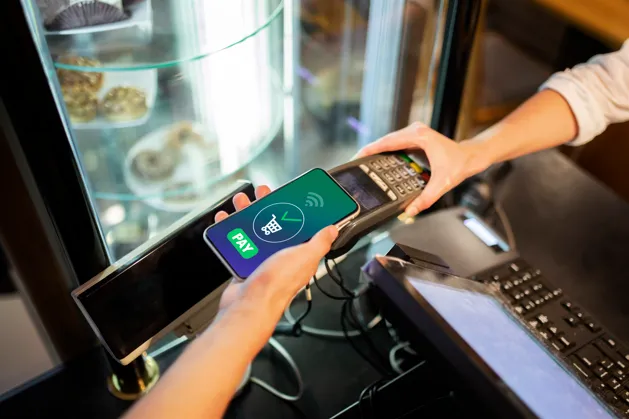
Before comparing these two payment methods, it helps to understand the broader payment ecosystem.
Modern payment processing involves several components working together:
- The customer
- The payment device or software
- The payment processor
- The acquiring bank
- The card issuer
When a customer makes a payment, the transaction travels through this network for authorization before funds are approved or declined. Both virtual terminals and physical POS terminals complete this process, but they do so differently. If you’re new to payment technology, understanding what a POS system is and why it’s essential for businesses provides helpful background before comparing the two.
What is a Virtual Terminal?
A virtual terminal is a secure web-based application that allows businesses to manually enter customer payment information through a computer, tablet, or mobile device connected to the internet.
Unlike traditional card machines, virtual terminals do not require customers to physically tap, swipe, or insert their cards. Instead, payment details are entered manually by an employee.
This makes virtual terminals ideal for businesses that regularly accept payments remotely.
How Does a Virtual Terminal Work?
The payment process is straightforward.
Step 1: Customer Provides Payment Information
Customers may share their card details through:
- Phone calls
- Email invoices
- Secure payment forms
- Video consultations
- Customer service interactions
Step 2: Merchant Opens the Virtual Terminal
The employee logs into the secure payment portal provided by the payment processor.
Step 3: Card Information is Entered
The following information is manually entered:
- Card number
- Expiration date
- CVV code
- Billing ZIP code
- Transaction amount
Step 4: Authorization Request
The system securely sends the information for authorization.
Step 5: Payment Confirmation
If approved, the transaction is completed and both the customer and business receive confirmation.
Common Industries that Use Virtual Terminals
Virtual terminals are especially popular among businesses that rarely meet customers face to face.
Examples include:
- Healthcare providers
- Law firms
- Accounting firms
- Marketing agencies
- Consultants
- Home service providers
- Repair companies
- Travel agencies
- B2B wholesalers
- Subscription-based businesses
Advantages of Virtual Terminals
Virtual terminals offer numerous operational benefits.
Accept Payments From Anywhere
Businesses are no longer limited by physical location. Employees can process transactions wherever internet access is available.
No Specialized Hardware Required
Since payments are entered through a web browser, businesses avoid purchasing expensive payment devices.
Ideal for Phone Orders
Businesses taking customer orders by phone can immediately process payments without additional equipment.
Easy Setup
Many payment providers allow merchants to begin accepting payments within hours.
Supports Remote Businesses
Companies serving customers nationwide or internationally benefit from remote payment acceptance.
Flexible Access
Employees working from different offices can securely access the same payment portal.
Limitations of Virtual Terminals
Despite their convenience, virtual terminals have certain drawbacks.
Higher Processing Fees
Because transactions are card-not-present, payment processors often charge higher rates.
Manual Entry Takes Time
Entering payment information manually is slower than tapping or inserting a card.
Increased Human Error
Typing incorrect card information may result in declined transactions.
Higher Fraud Risk
Card-not-present payments generally carry greater fraud risk than in-person transactions.
Ready to simplify remote payments? Start your FREE Virtual Terminal Trial today and discover a secure, convenient way to accept payments from anywhere, manage transactions efficiently, and give your customers greater flexibility every day.
What is a Physical POS Terminal?
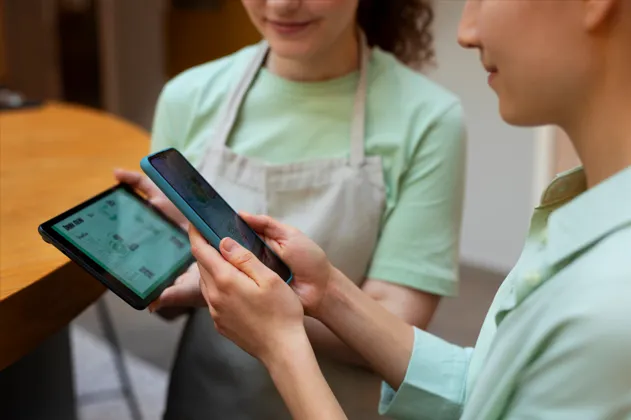
A physical POS terminal is a payment device that allows customers to complete in-person transactions by tapping, inserting, or swiping their payment cards or digital wallets.
Today’s POS terminals often include much more than payment processing. Many also include the POS system features that make running a store less stressful, from inventory tracking to customer management and reporting.
Modern systems may support:
- Inventory management, including the essential POS inventory management features that help businesses track stock in real time
- Customer loyalty programs
- Sales reporting
- Employee management
- Digital receipts
- Barcode scanning
- Tax calculations
- Product databases
These capabilities transform the terminal into a complete business management system.
How Does a Physical POS Terminal Work?
Customer Selects Products
Items are scanned or selected within the POS software.
Total is Calculated
The system calculates:
- Product costs
- Discounts
- Taxes
- Promotions
Customer Pays
The customer completes payment using:
- Chip cards
- Contactless cards
- Mobile wallets
- Smart watches
- Gift cards
Authorization
Payment is securely verified through the processor.
Receipt Generation
The system prints or emails the receipt.
Ready to simplify payments without adding more hardware? Start your FREE Virtual Terminal Trial today and discover a faster, more flexible way to securely accept customer payments wherever your business takes you.
Types of Physical POS Terminals
Countertop POS Systems
Ideal for:
- Retail stores
- Grocery stores
- Pharmacies
Mobile POS Devices
Portable payment devices commonly used by:
- Restaurants
- Delivery services
- Events
- Trade shows
Self-service Kiosks
Customers independently complete purchases.
Common locations include:
- Airports
- Fast food restaurants
- Movie theaters
Smart POS Terminals
Android-based devices offering advanced business applications alongside payment processing.
Benefits of Physical POS Terminals
Physical POS systems improve both customer experience and business operations.
1. Faster Checkout
Contactless payments significantly reduce transaction times.
2. Better Customer Experience
Customers prefer to tap or insert their own cards rather than read card numbers aloud.
3. Lower Processing Costs
Card-present transactions generally receive lower payment processing rates.
4. Improved Security
Chip technology reduces counterfeit card fraud.
5. Inventory Synchronization
Sales automatically update inventory counts.
6. Business Reporting
Owners gain valuable insights into:
- Best-selling products
- Peak business hours
- Staff performance
- Daily revenue
- Customer purchasing trends
Limitations of Physical POS Terminals
Like any technology, physical POS terminals also have disadvantages.
Hardware Investment
Businesses must purchase or lease payment equipment.
Maintenance Requirements
Devices occasionally require software updates or repairs.
Limited Remote Payments
Traditional POS terminals primarily support face-to-face transactions.
Space Requirements
Countertop terminals occupy checkout space.
Virtual Terminal v. Physical POS Terminal
The following comparison highlights their primary differences.
| Feature | Virtual Terminal | Physical POS Terminal |
| Payment Type | Remote | In Person |
| Hardware | No dedicated hardware | Requires payment device |
| Customer Presence | Not required | Required |
| Processing Speed | Manual entry | Instant tap, insert, or swipe |
| Processing Fees | Usually higher | Usually lower |
| Fraud Risk | Higher | Lower |
| Inventory Management | Usually unavailable | Frequently included |
| Mobility | Accessible online | Depends on device |
| Ideal For | Service businesses | Retail and hospitality |
Can Businesses Use Both?
Absolutely.
Many successful businesses combine both solutions.
For example:
A furniture retailer may:
- Accept in-store purchases using POS terminals.
- Collect phone orders through a virtual terminal.
- Process deposits remotely.
- Handle invoice payments after delivery.
Similarly, a medical clinic might:
- Accept payments at reception using a POS terminal.
- Process outstanding balances over the phone using a virtual terminal.
Using both systems creates greater flexibility while improving customer convenience. Businesses looking to unify online and in-store operations can also benefit from learning how to integrate a POS system with a website.
Conclusion
Virtual terminals are ideal for remote payments, offering flexibility without specialized hardware, while physical POS terminals provide faster, more secure in-person transactions with added business management features. The right choice depends on your business model and customer preferences. Many businesses use both solutions to accept payments seamlessly across online, phone, and in-store channels while supporting long-term growth. If you’re unsure which setup best fits your business, contact our team for expert recommendations tailored to your needs.
| Related Reading:How Much Does a Credit Card Terminal Cost in 2026? What is a POS Transaction? Meaning, Types, and How it Works |
FAQs
1. What is the main difference between a virtual terminal and a physical POS terminal?
A virtual terminal processes remote payments by allowing staff to manually enter customer card details online. A physical POS terminal handles face-to-face transactions through card readers, chip cards, contactless payments, or mobile wallets, making it better suited for in-person business environments overall.
2. Which businesses benefit most from a virtual terminal?
Virtual terminals work especially well for service-based businesses, healthcare providers, consultants, freelancers, agencies, and companies serving customers remotely. They are particularly useful for businesses that regularly collect payments over the phone, through invoices, after consultations, or from customers in different locations today.
3. Are physical POS terminals more secure than virtual terminals?
Physical POS terminals generally provide stronger security for in-person transactions because customers can use chip cards and contactless payments without sharing card details verbally. These technologies reduce risks associated with manually entered information, while encryption and tokenization add protection during payment processing.
4. Can a business use both a virtual terminal and a physical POS terminal?
Yes. Businesses can use both solutions to handle different payment situations efficiently. A physical POS terminal can process in-person purchases, while a virtual terminal can collect remote payments by phone or invoice, giving customers flexibility and businesses more ways to accept payments.
5. How do I choose between a virtual terminal and a physical POS terminal?
Start by considering how customers usually pay, whether transactions happen remotely or in person, and how many payments you process. Compare processing costs, hardware requirements, security needs, reporting capabilities, inventory features, and scalability before deciding which payment solution best fits your business.



